Display Images
You may want to display images from the image source on screen. MediaPipe4U provides a callback for rendering source images in a material or UMG.
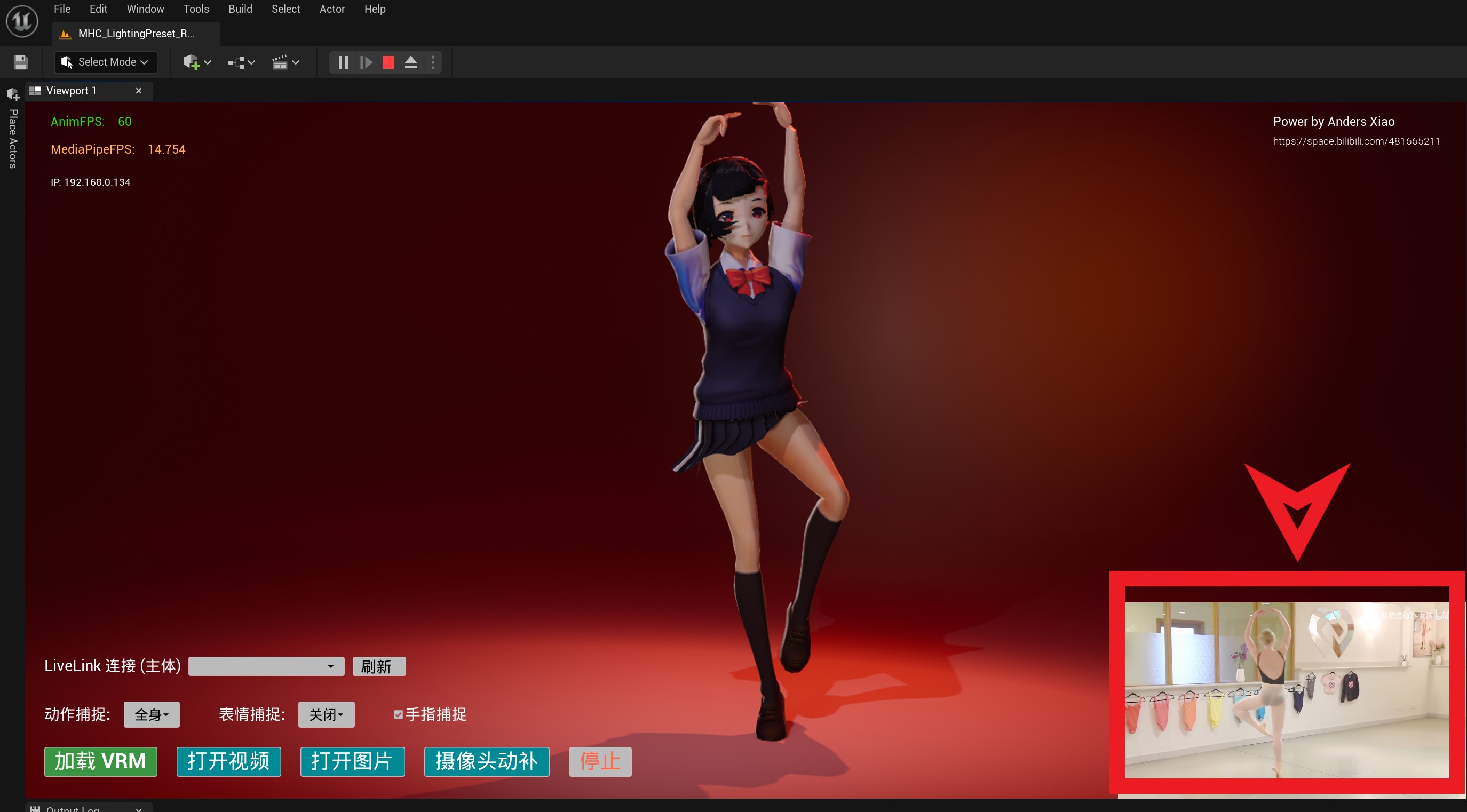
The easiest way to learn how to display tracked images is to watch the introductory tutorial:
Callback Event
UMediaPipeHolisticComponent provides the OnVideoTextureCreated event. Bind it to receive a Texture2D object for rendering.
This event is a multicast delegate (Blueprint event), defined in C++ as:
DECLARE_DYNAMIC_MULTICAST_DELEGATE_ThreeParams(FOnVideoTextureCreated, UTexture2D*, NewTexture, int, TextureWidth, int, TextureHeight);

UPROPERTY(Category="MediaPipe | VideoTexture", BlueprintAssignable)
FOnVideoTextureCreated OnVideoTextureCreated;
This event is available for video, image, and camera motion capture.
Blueprint example:
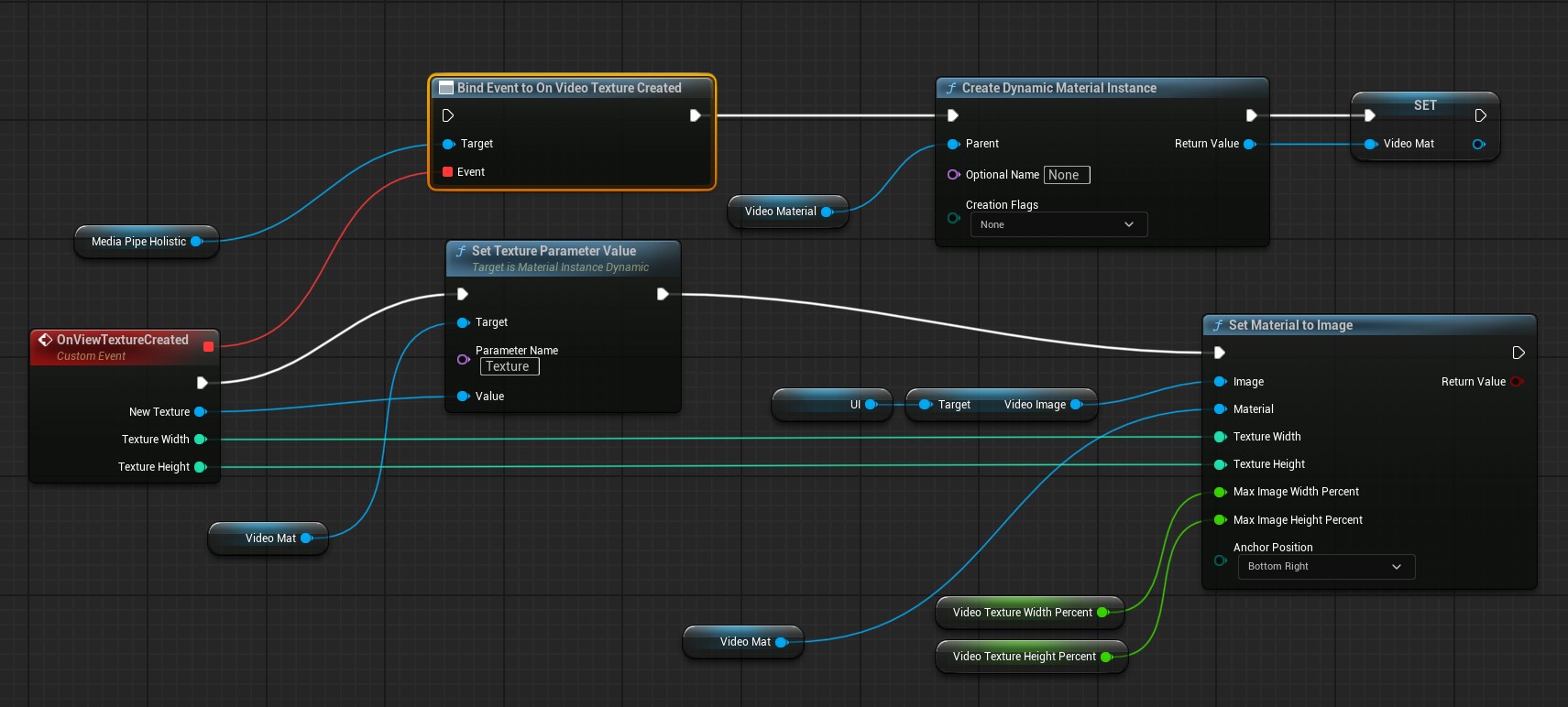
The Blueprint above dynamically creates a material in OnVideoTextureCreated, sets the material's Texture parameter to the callback texture, and assigns the material to a UImage in the UI.
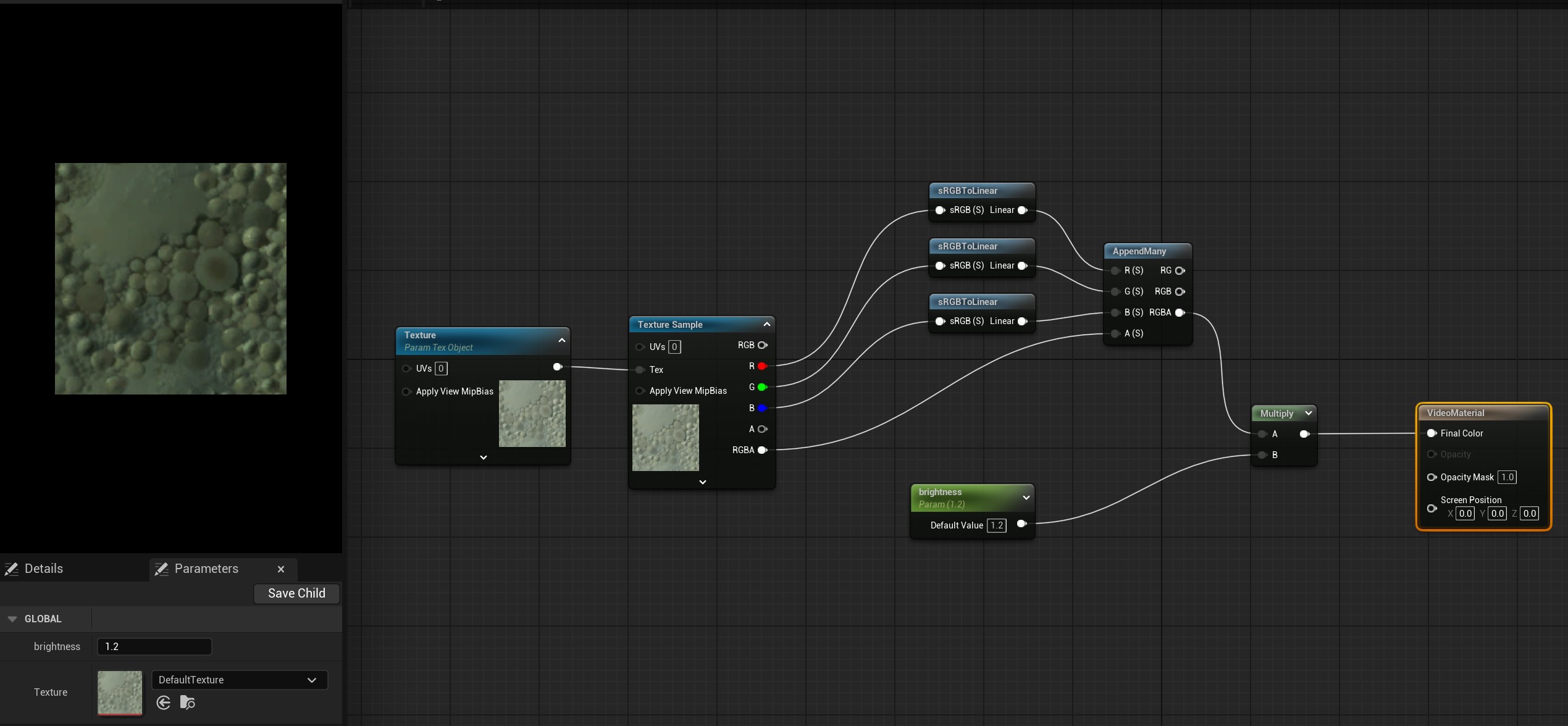
For reference, its VideoMaterial is defined as follows:
SetMaterialToImage Function
To simplify drawing images in UMG, SetMaterialToImage helps align an image with a corner of a Canvas.
If you render with a UImage inside a Canvas, use this Blueprint function to simplify alignment and automatic scaling.
SetMaterialToImage parameters:
This function works only when Image is inside a Canvas.
| Parameter | Type | Description |
|---|---|---|
| Image | UImage* | Image component in UMG |
| Material | UMaterialInstance* | Material to draw in Image |
| TextureWidth | int | Image width |
| TextureHeight | int | Image height |
| MaxImageWidthPercent | float | 0-1, maximum percentage of Canvas width the image can occupy (1 means 100%) |
| MaxImageHeightPercent | float | 0-1, maximum percentage of Canvas height the image can occupy (1 means 100%) |
| AnchorPosition | EAnchorPosition | Image position in the Canvas; values are described below |
AnchorPosition values
TopLeft: upper-left corner
TopRight: upper-right corner
BottomLeft: lower-left corner
BottomRight: lower-right corner
TopCenter: top center
BottomCenter: bottom center
MiddleCenter: center
Display Mode
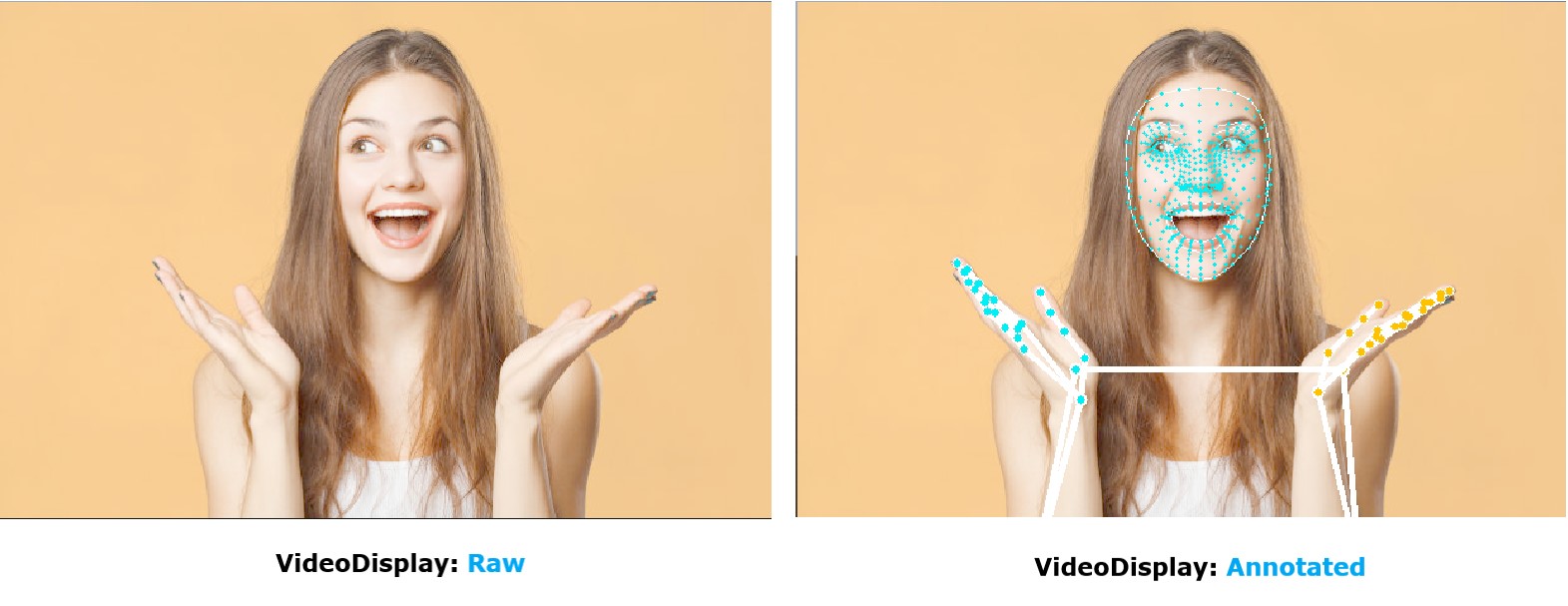
Set VideoDisplay on UMediaPipeHolisticComponent to control the display style and show or hide guide lines used to analyze motion-capture data.
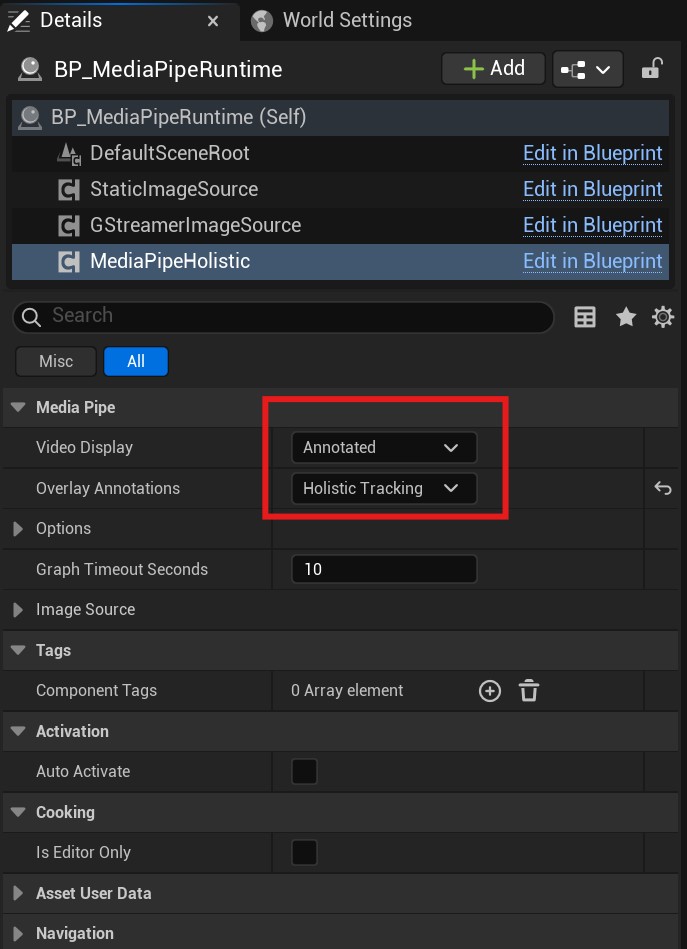
The following image shows results produced by different VideoDisplay values: