F5-TTS
Unlike traditional TTS models, F5-TTS supports voice cloning: it can clone a voice from an audio file and imitate its speaker.
About F5-TTS
F5-TTS is a high-performance open-source text-to-speech system released in 2024 by Shanghai Jiao Tong University, the University of Cambridge, and Geely Automobile Research Institute (Ningbo) Co., Ltd. It uses zero-shot learning to quickly generate natural, fluent speech faithful to the source text.
For details, visit:
https://github.com/SWivid/F5-TTS
System Requirements
CUDA inference is recommended. When MediaPipe4U loads an F5-TTS model, it checks the local CUDA environment and falls back to DirectML if the requirements are not met.
Inference Latency
F5-TTS uses a large generative architecture, so CPU inference cannot meet real-time requirements. F5-TTS speech packages therefore use GPU inference automatically.
CUDA is preferred for Nvidia GPUs and requires CUDA 12 and cuDNN 9.x.
If your GPU does not support CUDA 12, such as an AMD or older Nvidia GPU, or CUDA/cuDNN versions are incompatible, DirectML is used instead. DirectML requires no additional Windows software, but insufficient GPU performance may cause noticeable latency.
On the same measured GPU, CUDA was approximately 2.5 times as fast as DirectML.
CPU inference is possible but generally too slow to be usable. You may still try it on a sufficiently powerful CPU.
To use CPU inference, set onnx_provider to cpu in
tts.conf.
CUDA requirements:
| Component | Version Requirement | Download |
|---|---|---|
| CUDA Toolkit | 12.x (12.6 recommended) |
https://developer.nvidia.com/cuda-toolkit |
| CUDNN | 9.x (9.8 recommended) |
https://developer.nvidia.com/cudnn-downloads |
VRAM Requirements
Minimum free VRAM: 4 GB.
Recommended free VRAM: 6 GB or more.
Also account for Unreal Engine's VRAM usage. Insufficient VRAM can cause Unreal Engine to exhaust video memory.
F5-TTS Speech Package
MediaPipe4U provides an F5-TTS model package. Open the speech-model download page, find an F5 package, and download it.
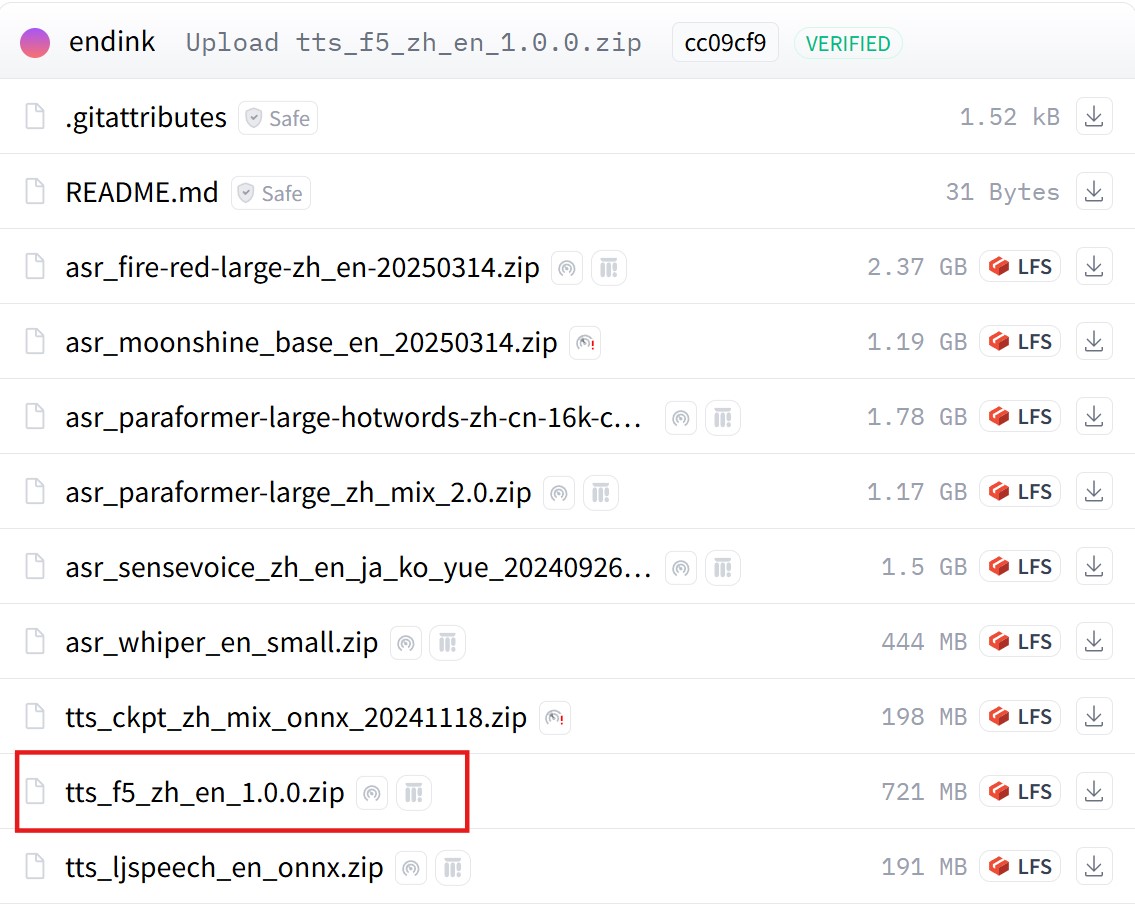
Verify That F5-TTS Loaded with CUDA
Inspect the log to verify that F5-TTS loaded with CUDA:

Tip
You can also set CUDA and CUDNN paths with environment variables:
M4U_CUDA_HOME: CUDA pathM4U_CUDNN_HOME: cuDNN path
Basic Usage
F5-TTS packages are used like other TTS packages, but additionally support voice cloning.
Voice Cloning
After installing an F5-TTS model package, the following structure appears under Plugins\MediaPipe4USpeech\Source\ThirdParty\SpeechAPI\Data:
├─tts
│  │  tts.conf
│  │
│  ├─dict
│  │  │
│  │  ├─ ...
│  │
│  ├─models
│  │      ....
│  │
│  └─speakers
│          en-AU-F-Natasha.wav
│          en-US-F-Aria.wav
│          en-US-M-Christopher.wav
│          en-US-M-Guy.wav
│          mp3_to_wav_24k.bat
│          speaker_conf.yaml
│          zh-CN-F-Xiaoxiao.wav
│          zh-CN-M-Yunxi.wav
│          zh-CN-M-Yunyang.wav
│          zh-TW-F-HsiaoChen.wav
The speakers folder contains audio files and a configuration file:
xxx.wav: Audio used to clone a voice.speaker_conf.yaml: Speaker configuration.mp3_to_wav_24k.bat: MP3-to-WAV conversion script.
Previewing these WAV files reveals short speech samples. F5-TTS clones voices from these samples.
To clone a voice, prepare a PCM audio file, usually WAV. For MP3 input, install FFmpeg and run mp3_to_wav_24k.bat to convert it.
Audio File Requirements
- F5-TTS requires mono, 24000 Hz (24K) audio.
- Audio must be no more than 15 seconds; no more than 10 seconds is recommended.
Convert incompatible audio with FFmpeg.
FFmpeg conversion command:
This creates the converted
output.wavin the current folder.
After preparing the audio file, edit speaker_conf.yaml, which is a YAML file.
Open speaker_conf.yaml in a text editor and add an entry matching its format:
name: Speaker display nameaudio: Reference audio fileprompt: Text spoken in the reference audio
Save speaker_conf.yaml and run MediaPipe4U again; the new speaker appears.
Use ListSpeakers on MediaPipeSpeechActor to verify the speaker and use the cloned voice to read text.