Image Source
An Image Source provides image data.
MediaPipe4U abstracts components that supply static images, video streams, or video files behind the UE interface IMediaPipeImageSource, representing the image source used for motion and facial capture.
Built-in Image Sources
MediaPipe4U includes four image-source types:
StaticImageSourceComponent: Captures JPG, PNG, and other image files.WebcamImageSourceComponent: Captures a local camera.GStreamerImageSourceComponent: GStreamer media pipeline supporting video files and online streams over RTMP, RTSP, HTTP, and other protocols.MediaPlayerImageSourceComponent: Captures Unreal Engine Media Player output (beta).
Using an Image Source
- Add an Image Source component in the Blueprint editor.
- Call
StartImageSourceonMediaPipeHolisticComponentto capture from it. - Call the Image Source's open function to open a camera, image, or video.
Tip
Functions ending in Async are asynchronous and do not block the game thread. Prefer them whenever possible:
StartImageSource: synchronousStartImageSourceAsync: asynchronous
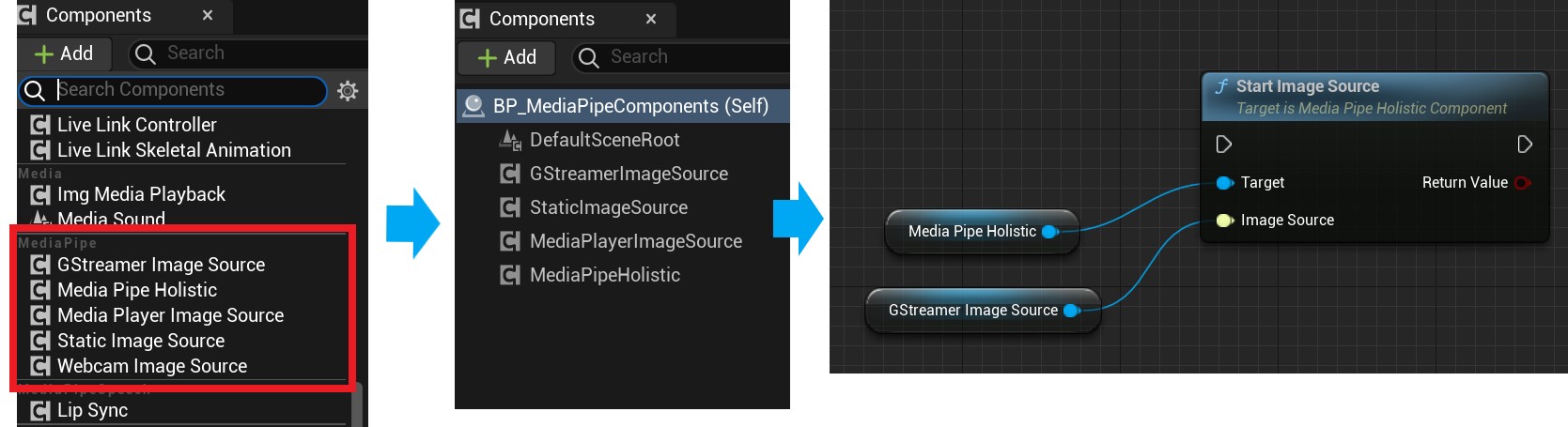
Different Image Source components have different open functions, which are not shown above.
Continue reading for details about each type.
Common Image Source Properties
bCloseWhenMediaPipeStopped
Whether to stop the Image Source automatically, closing files, MediaPlayer, and related resources when MediaPipe capture stops, for example through MediaPipeHolisticComponent::Stop.
Default: true
When bCloseWhenMediaPipeStopped is true, calling Stop on MediaPipeHolisticComponent ends capture and closes the active Image Source.
Advanced Image Source Control
Control advanced Image Source operations through MediaPipeHolisticComponent properties. Not all source types support them:
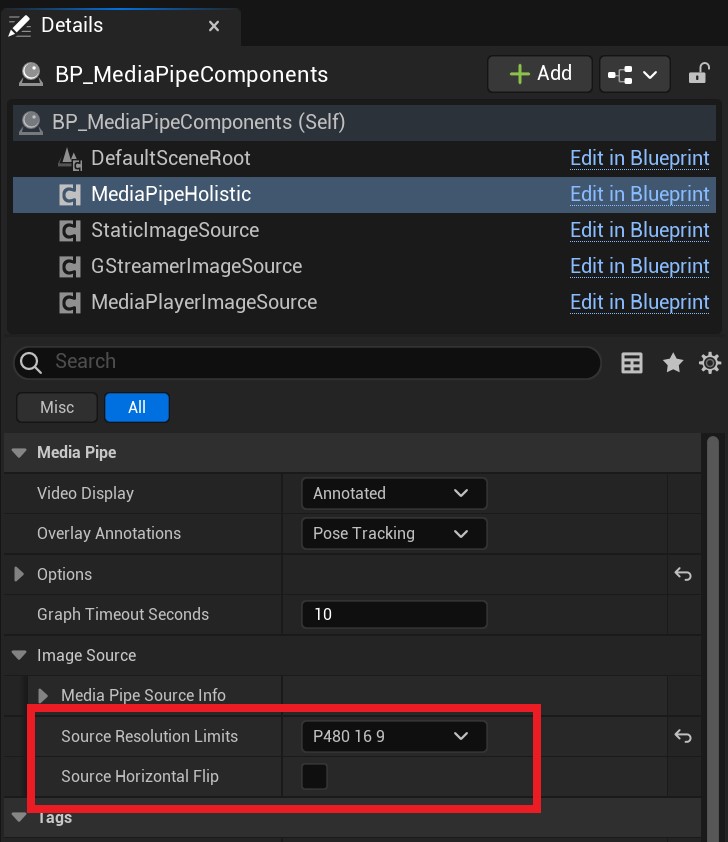
| Property | Description |
|---|---|
| SourceHorizontalFlip | Flips the image horizontally. |
| SourceResolutionLimits | Limits image resolution. |
Tip
Limiting resolution with SourceResolutionLimits can significantly improve MediaPipe solver performance.
StaticImageSourceComponent
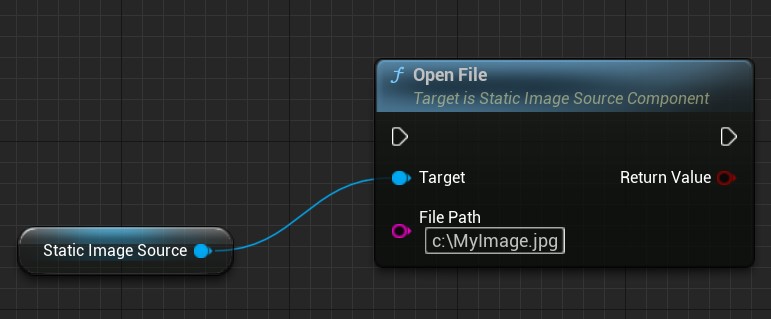
Open an Image
Call OpenFile on StaticImageSourceComponent to open a JPG or PNG file.
WebcamImageSourceComponent
Represents a host camera, normally USB, and supports both Windows and Android.
Open a Camera
The built-in WebcamImageSourceComponent supports camera capture.
Tip
WebcamImageSourceComponentis built intoMediaPipeHolisticComponentand does not need to be added manually.- Use
StartCameraorStartCameraAsyncon MediaPipeHolisticComponent, notStartImageSource. - Windows cameras use OpenCV and support only DirectShow cameras. A camera without DirectShow support may not work.
- Android cameras use CameraX.
Call StartCamera or StartCameraAsync:
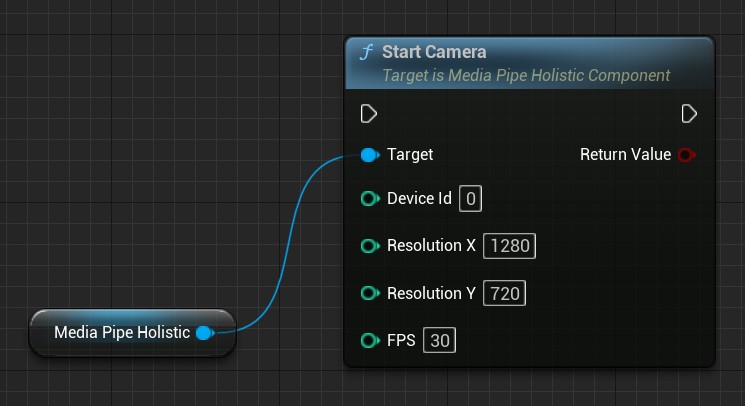
StartCamera parameters:
| Parameter | Description | Example |
|---|---|---|
| DeviceId | Zero-based camera ID | 0 |
| ResolutionX | Horizontal resolution | 1280 |
| ResolutionY | Vertical resolution | 720 |
| FPS | Frame rate | 30 |
On mobile devices such as Android,
DeviceIdselects the front or rear camera: 0 is front and 1 is rear.
Tip
- MediaPipe4U finds only DirectShow cameras, so IDs may differ from other software.
- If the requested resolution is unsupported, an appropriate resolution is selected automatically.
- If the requested frame rate is unsupported, an appropriate frame rate is selected automatically.
List Cameras
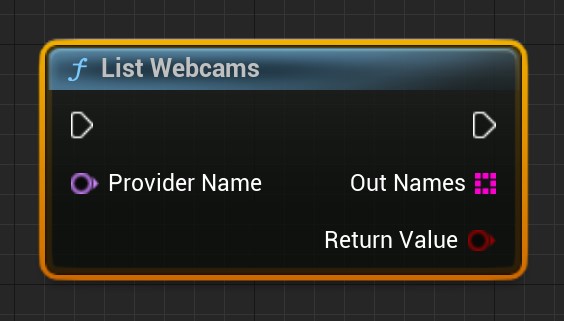
StartCamera and StartCameraAsync accept a camera ID. Use ListWebcams in the MediaPipe4U Blueprint function library to list local cameras; the array index is suitable for DeviceId.
Tip
Provider identifies the camera provider. OpenCV is the default and currently the only implementation, so this parameter can be ignored.
ListWebcams returns a bool indicating success.
On Android, ListWebcams always returns IDs 0 and 1 for the front and rear cameras respectively.
Close the Camera
Call Stop or StopAsync on MediaPipeHolisticComponent.
GStreamerImageSourceComponent
GStreamerImageSourceComponent currently supports Windows only.
Use it to capture from a video file or online stream.
Open a File or Stream
Call Start on GStreamerImageSourceComponent.
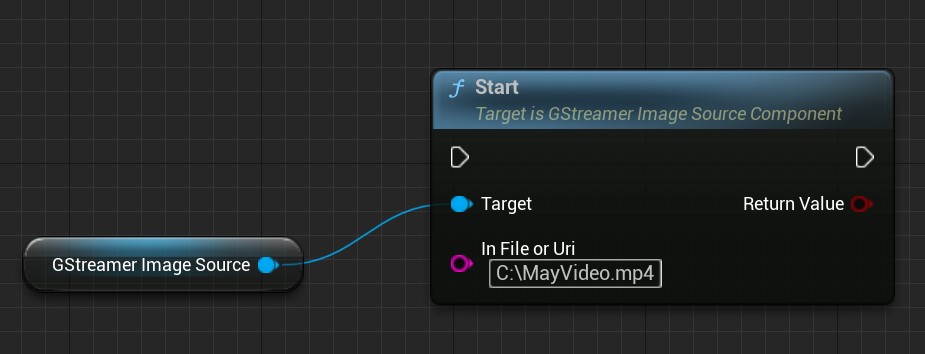
Start parameter:
InFileOrUri
Video file or stream to open. Examples:
- C:\MyVide.mp4
- C:\MyVide.avi
- rtsp://wowzaec2demo.streamlock.net/vod/mp4:BigBuckBunny_115k.mov
- http://clips.vorwaerts-gmbh.de/big_buck_bunny.mp4
Return value: whether the operation succeeded.
Use a Custom GStreamer Expression
GStreamerImageSourceComponent supports GStreamer Launch expressions through StartGStreamerLaunch.
Parameter:
GStreamerCommand
GStreamer expression to run, for example:
playbin uri=https://xxx.webm ! videoconvert ! video/x-raw,format=(string)RGBA ! appsink name=mediapipe4u_sink
Important:
A GStreamer expression is a pipeline whose stages are separated by !. MediaPipe4U defines the custom sink mediapipe4u_sink, so the final stage must always be appsink name=mediapipe4u_sink.
mediapipe4u_sink accepts RGBA images.
GStreamer expressions can process streams, cameras, WebRTC, and many other media protocols. See the official GStreamer Launch documentation.
Close a File or Stream
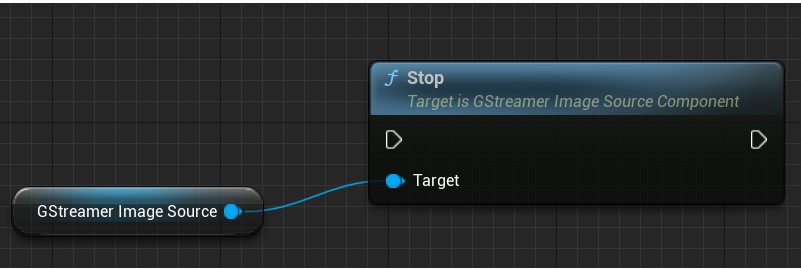
Call Stop on GStreamerImageSourceComponent.
MediaPlayerImageSourceComponent
MediaPipe4U integrates with Unreal Engine MediaPlayer and captures its output.
Tip
MediaPlayerImageSourceComponent is a Beta feature and may be unstable.
It supports these pixel formats:
- BGRA
- YUY2 (YUNV, YUYV)
- NV12
- NV21
The current implementation does not support advanced controls such as horizontal flipping or resolution limits.
GStreamer is recommended instead because
GStreamerImageSourceComponenthas better decoding performance and supports advanced features such as resolution limits.
Configure MediaPlayerImageSourceComponent
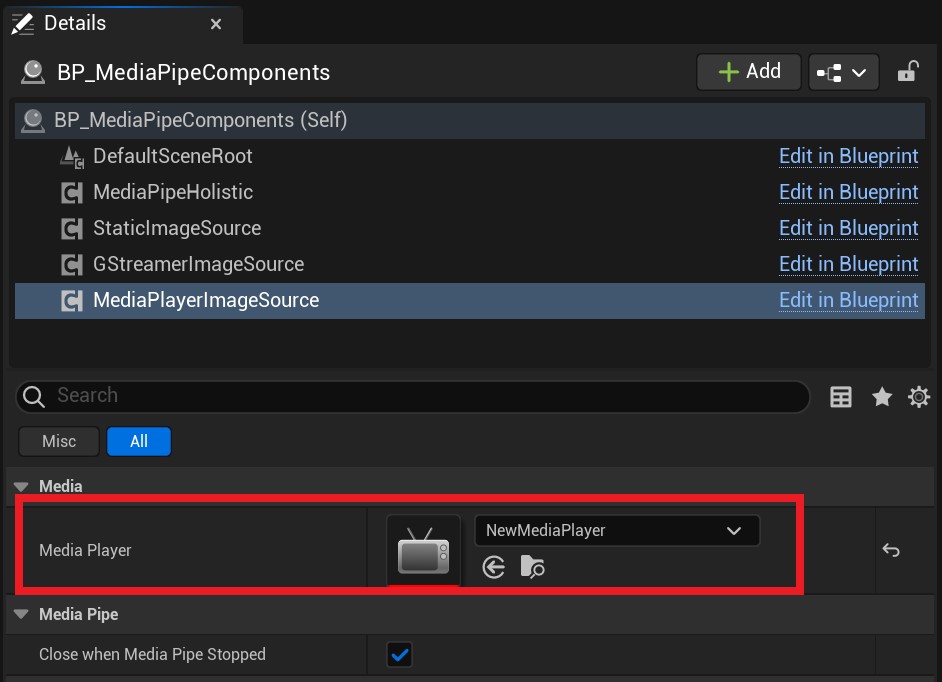
MediaPlayerImageSourceComponent must be bound to MediaPlayer, so set the MediaPlayer property first.
Start Capture
MediaPlayerImageSourceComponent captures automatically after MediaPlayer opens, so MediaPlayer controls capture.
Use Open Source or Open Url on MediaPlayer.
Complete Blueprint flow:
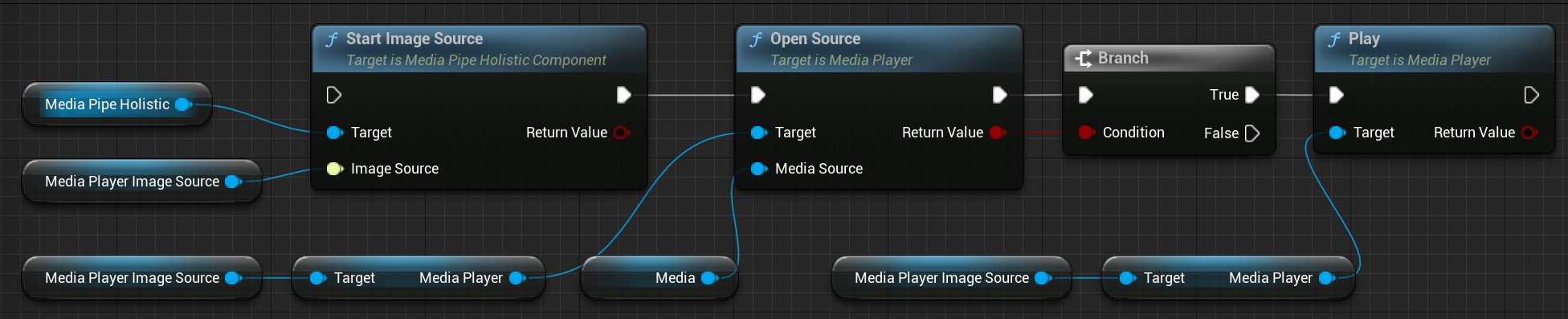
Media in the image is a FileMediaSource instance.