MediaPipe Holistic Component
Overview
MediaPipeHolisticComponent connects Unreal Engine to the Google MediaPipe API and brings MediaPipe data into Unreal Engine.
MediaPipeHolisticComponentis part of theMediaPipe4Uplugin.
About Google MediaPipe
Google MediaPipe combines Pose, Hand, and Face landmarks in a single Holistic calculator. MediaPipe4U wraps it as an Unreal Engine component and exposes almost all graph parameters. It is the core component and data source for motion, facial-expression, and finger capture, and starts the entire capture process.
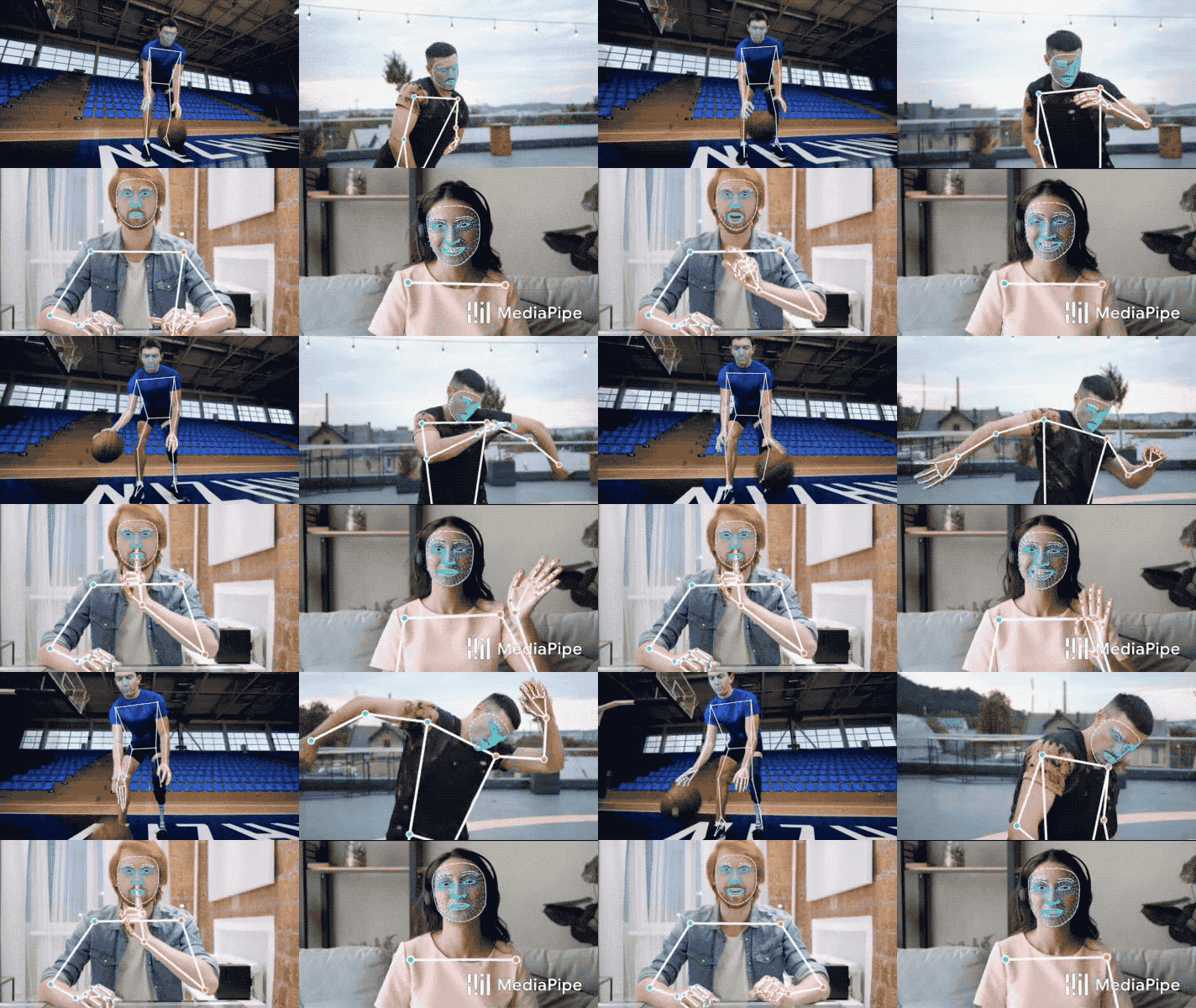
For details, visit:
https://ai.google.dev/edge/mediapipe/solutions/vision/holistic_landmarker
Warning
Because of its role, ensure that the entire Level contains only one MediaPipeHolisticComponent instance.
Properties
| Parameter | Category | Type | Description |
|---|---|---|---|
| VideoDisplay | Image Display | enum | Display mode:Raw: original image;Annotated: image with MediaPipe guide lines.Raw performs better than Annotated. |
| OverlayAnnotations | Image Display | enum | Guide-line mode:HolisticTracking: face and pose;PoseTracking: body pose;FaceTracking: face. |
| MediaPipeSourceInfo | Video Data | struct | Read-only information about the current source, including height, width, and whether it is static. |
| bSourceHorizontalFlip | Image Source Control | bool | Whether to flip the image horizontally. |
| SourceResolutionLimits | Image Source Control | enum | Limits image resolution by scaling before AI processing; recommended. |
| Options | MediaPipe Parameters | struct | Parameters for the MediaPipe calculation graph. |
| GraphTimeoutSeconds | MediaPipe Parameters | int | Image-frame timeout for MediaPipe graph calculation; see MediaPipe bound-time documentation. |
Options Details
MediaPipeHolisticComponent exposes original Google MediaPipe parameters through Options.
| Parameter | Type | Description |
|---|---|---|
| InputAngle | enum | Rotates input in MediaPipe. Not recommended because output differs from the original image; process it in ImageSource instead. |
| InputVerticallyFlipped | bool | Vertically flips input in MediaPipe. Prefer processing in ImageSource. |
| InputVerticallyFlipped | bool | Horizontally flips input in MediaPipe. Prefer processing in ImageSource. |
| ModelComplexity | enum | MediaPipe model complexity: Lite, Full, or Heavy. Full is normally appropriate. |
| SmoothLandmarks | bool | Whether to smooth landmarks; affects results and defaults to true. |
| EnableSegmentation | bool | Whether to segment the background. Defaults to false and is not recommended because it costs performance. |
| SmoothSegmentation | bool | Whether to smooth segmentation edges. Defaults to false and is not recommended because it costs performance. |
| UsePrevLandmarks | bool | Whether to optimize with previous-frame data. MediaPipe4U manages this automatically. |
| CustomParameters | TMap |
Effective only for a Custom Connector; passed to the Connector. See Custom Connector documentation. |
Blueprint Events
MediaPipeHolisticComponent provides Blueprint lifecycle events (multicast delegates).
| Event | Description |
|---|---|
| OnVideoTextureCreated | Called when the displayed video texture is created. |
| OnMediaPipeInitialized | Called when MediaPipe initialization completes. |
| OnMediaPipeStarted | Called when MediaPipe capture starts. |
| OnMediaPipeStopped | Called when MediaPipe capture stops. |
| OnMediaPipeThreadFault | Called when a MediaPipe worker thread fails. |
Blueprint Functions
| Function | Description |
|---|---|
| StartCamera | Starts camera capture; prefer the async function. |
| StartImageSource | Starts capture from another image-source type; prefer the async function. |
| Stop | Stops capture; prefer the async function. |
| IsNativeImageSource | Whether the current source is Native C++ rather than UObject. Returns false when MediaPipe is not running. |
| IsRunning | Whether MediaPipe has started. |
| GetCurrentCameraParams | Gets active camera parameters. These may differ from StartCamera input when the device does not support the requested resolution or frame rate. |
| IsWebcamCapture | Whether the current source is a camera. |
| IsVideoTextureAvailable | Whether the display texture is available. |
| IsStaticImageSource | Whether the source is static; images are normally static and videos are not. |
| GetFrameSize | Gets current frame height and width; prefer MediaPipeSourceInfo. |
| GetSourceTextureAspectRatio | Gets source aspect ratio; prefer MediaPipeSourceInfo. |
| GetImageSourceFPS | Gets ImageSource FPS, usually for evaluating performance. |
| GetVideoTexture | Gets the display texture. |
Async Functions
Functions named <FunctionName> + Async are asynchronous and normally available in both C++ and Blueprint. They do not block the game/UI thread and are recommended over synchronous functions.
Available async functions:
- StartImageSourceAsync
- StartCameraAsync
- StopAsync
- StartCustomConnectorAsync (C++)
C++ Events
Use C++ to access raw Google MediaPipe data such as landmarks; Blueprint is not supported.
Subscribe to raw MediaPipe data through these Unreal Events:
| Event Getter | Category | Description |
|---|---|---|
| PoseLandmarksEventTrigger | MediaPipe Data | Pose landmarks |
| LeftHandLandmarksEventTrigger | MediaPipe Data | Left-hand landmarks |
| RightHandLandmarksEventTrigger | MediaPipe Data | Right-hand landmarks |
| FaceLandmarksEventTrigger | MediaPipe Data | FaceMesh landmarks |
| PoseWorldLandmarksEventTrigger | MediaPipe Data | 3D pose landmarks |
| FaceGeometryEventTrigger | MediaPipe Data | FaceGeometry data (landmarks and vertices) |
| FaceBlendShapesEventTrigger | MediaPipe Data | Facial BlendShape coefficients |
| VideoTextureCreatedEventTrigger | MediaPipe Data | Image frames with MediaPipe landmarks |
| OnMediaPipeHolisticStoppingTrigger | MediaPipe Lifecycle | Triggered when MediaPipe begins stopping |
| OnMediaPipeHolisticStoppedTrigger | MediaPipe Lifecycle | Triggered after MediaPipe stops |
| BeforeMediaPipeHolisticStartTrigger | MediaPipe Lifecycle | Triggered before MediaPipe starts |
| OnMediaPipeHolisticStartFailedTrigger | MediaPipe Lifecycle | Triggered when MediaPipe processing fails |
| OnMediaPipeHolisticStartedTrigger | MediaPipe Lifecycle | Triggered after MediaPipe starts |
Note
MediaPipeHolisticComponent C++ callbacks occur on arbitrary threads. Ensure thread safety when handling game logic.
Blueprint events always occur on the game thread.