Setup MediaPipe4U
Plugin Contents
MediaPipe4U includes multiple Unreal Engine plugins. Below is an introduction to these plugins. You can integrate them into your project as needed.
MediaPipe4U-
This is the core plugin of MediaPipe4U. It includes foundational frameworks such as OpenCV, MediaPipe, and DirectML, as well as common code for MediaPipe4U (e.g., image sources: camera sources, static image sources). Except for the
GStreamerplugin, all other plugins in MediaPipe4U depend on it. GStreamer-
This is a wrapper for GStreamer within Unreal Engine, enabling you to use GStreamer in Unreal Engine.
MediaPipe4UMotion-
This is the motion capture plugin. If you need motion capture functionality from images, you can use it (it can capture motion from cameras or static images).
MediaPipe4ULiveLink-
This is the facial expression plugin. If you need facial expression capture functionality from images, you can use it.
MediaPipe4UGStreamer-
This plugin provides an image source via GStreamer. If you want
MediaPipe4UMotionorMediaPipe4ULiveLinkto capture motion or facial expressions from videos, you can use it. MediaPipe4UBVH-
This plugin enables the conversion of Unreal Engine animations into BVH format animation files. When used with
MediaPipe4UMotion, it can directly export character motions from videos to BVH files. MediaPipe4UNvAR-
This plugin allows the use of Nvidia Maxine's algorithms as an alternative to Google MediaPipe, enabling
MediaPipe4UMotionandMediaPipe4ULiveLinkto perform motion and facial expression capture using Nvidia's algorithms. MediaPipe4USpeech-
This plugin provides AI-powered speech-related capabilities, including real-time text-to-speech (TTS), speech recognition (ASR), and voice wake-up functionality, bringing "listening" and "speaking" abilities to your UE project.
MediaPipe4ULLM-
This plugin allows you to connect to Ollama within your UE project, bringing large language model (LLM) inference capabilities to your UE project.
MediaPipe4ULLMSpeech-
This plugin integrates
MediaPipe4USpeechandMediaPipe4ULLM, making it easy to implement a voice-based chatbot powered by large language models (LLMs) in Unreal Engine.
Setup in Unreal Engine
-
Copy the following directories to
[UE Project Root Directory]/Plugins: -
MediaPipe4U
- GStreamer
- MediaPipe4UGStreamer
- MediaPipe4ULiveLink
- Others...
After completion, your directory structure should typically look like this:
UEProjectSample
├─Binaries
├─Build
├─Config
├─Content
├─Intermediate
├─Plugins
│ ├─GStreamer
│ ├─MediaPipe4U
│ ├─MediaPipe4UGStreamer
│ ├─MediaPipe4ULiveLink
│ ├─Others
├─Saved
├─Script
└─Source
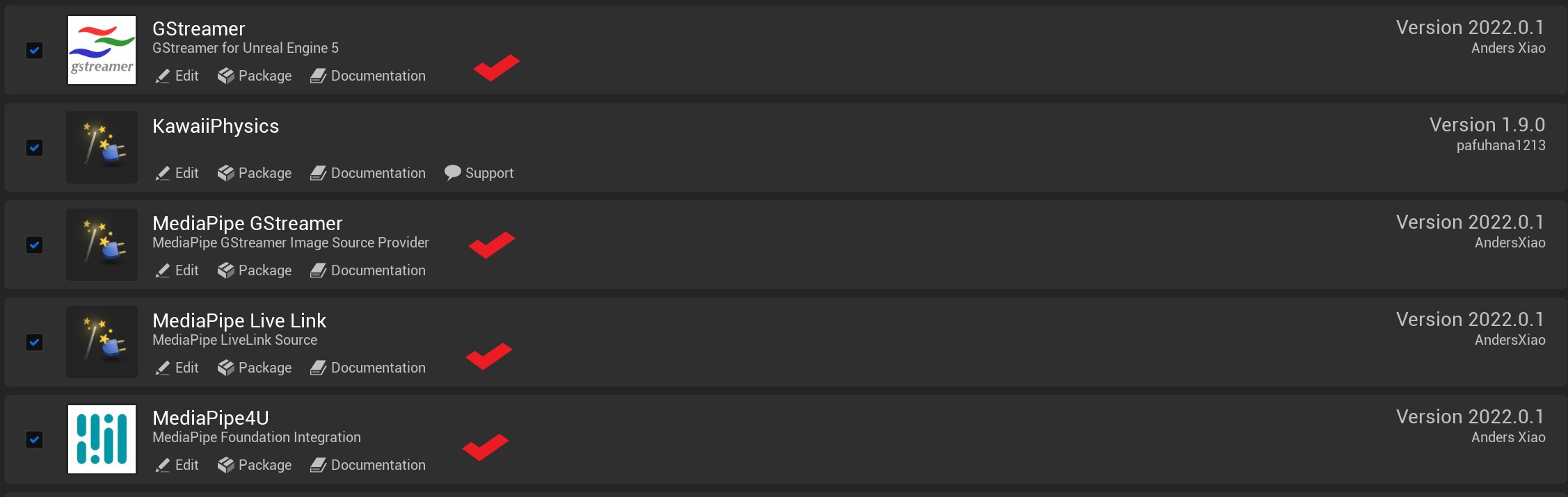
- Open UE Editor and ensure the following plugins are enabled: