Calibration
MediaPipe4U uses a calibration-free camera design and therefore cannot obtain physical camera parameters. Calibrating the character before motion capture corrects inaccurate position, leaning, and related issues.
Calibration has two parts:
- Pose calibration: corrects character leaning and legs that cannot fully extend.
- Location calibration: corrects an incorrect initial character position.
Overview
By default, MediaPipe4U starts a countdown before each capture and performs pose and location calibration when it ends.
Control this behavior with CalibrationCountdownSeconds and CalibrationPolicy on MediaPipeAnimInstance.
| Property | Description |
|---|---|
| CalibrationCountdownSeconds | Countdown duration in seconds. |
| CalibrationPolicy | Countdown calibration behavior when capture starts. |
Tip
CalibrationPolicy values:
CountdownOnStart: Count down and calibrate whenever capture starts.
Manual: Do not count down when capture starts.
Runtime Countdown Calibration
With CalibrationPolicy set to Manual, MediaPipe4U does not start a countdown.
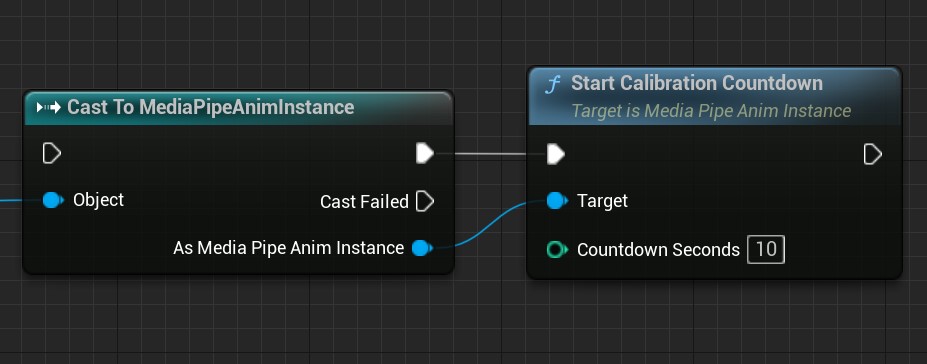
Call StartCalibrationCountdown on MediaPipeAnimInstance at any time to start one manually.
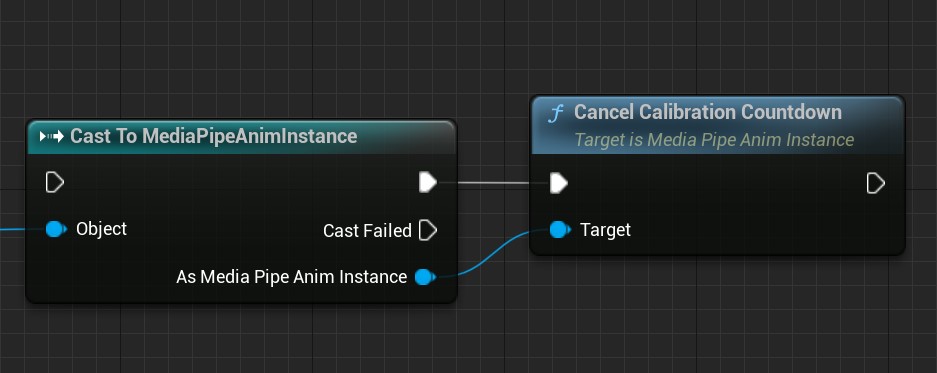
Call CancelCalibrationCountdown on MediaPipeAnimInstance to cancel it.
Control Pose and Location Calibration
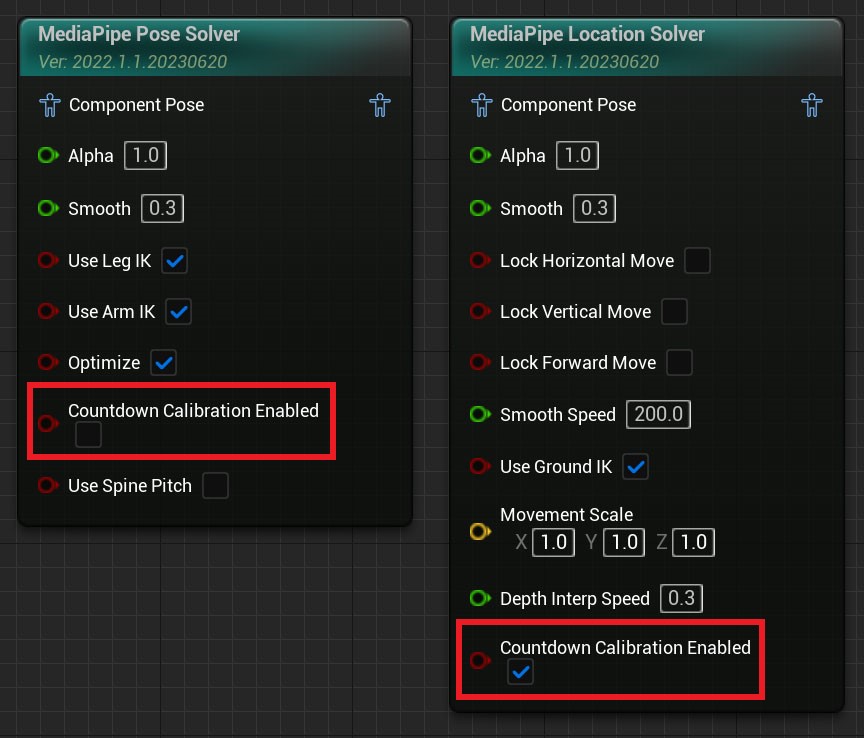
By default, countdown completion calibrates location but not pose. Control this on the Animation Blueprint nodes.
- CountdownCalibrationEnabled on MediaPipe Pose Solver controls pose calibration.
- CountdownCalibrationEnabled on MediaPipe Location Solver controls location calibration.
Wanring
Location calibration: a character cannot move until location calibration runs. If countdown location calibration is disabled, implement manual location calibration.
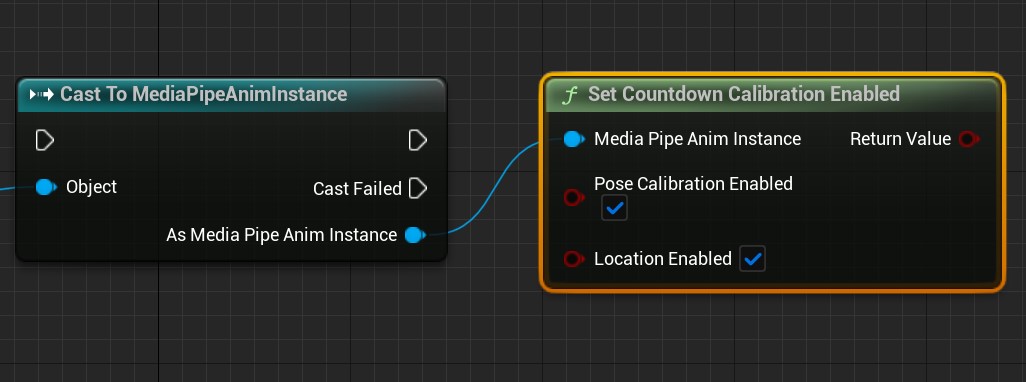
The Blueprint function SetCountdownCalibrationEnabled provides the same control.
SetCountdownCalibrationEnabled returns whether the operation succeeded; normally this return value can be ignored.
Tip
Pose calibration requires the person to stand in a standard pose, so it is normally unsuitable for video capture unless the video begins with several seconds in that pose.
Before video capture, call SetCountdownCalibrationEnabled in Blueprint to disable countdown pose calibration.
C++ can perform the same operation through static functions on UMediaPipeMotionUtils.
Pose Calibration Invalidation
Some runtime operations invalidate pose calibration and require recalibration.
Warning
Pose-calibration data is reset when these settings change at runtime:
- Disable/enable spine pitch (SpinePitchEnable)
- Spine pitch span (SetHipPitchSpan)
-
Joint-lock state
-
For spine pitch and span concepts, read Pose Solver: Spine Rotation Mode.
Manual Calibration
In addition to countdown calibration, calibrate pose or location immediately in Blueprint or C++ as described below.
Pose Calibration
Pose calibration records current joint angles as correction angles and applies them to every capture frame to correct bone-rotation offsets.
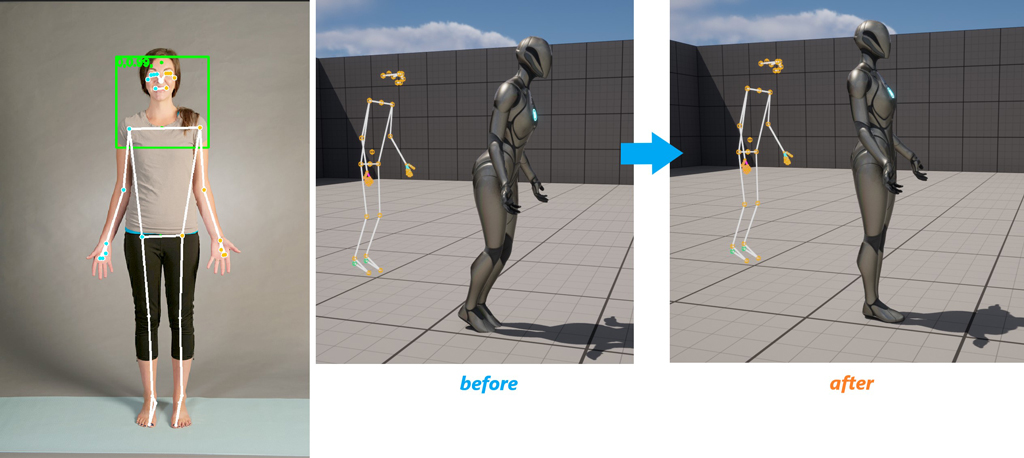
Pose calibration is applied to the MediaPipe Pose Solver Animation Blueprint node.
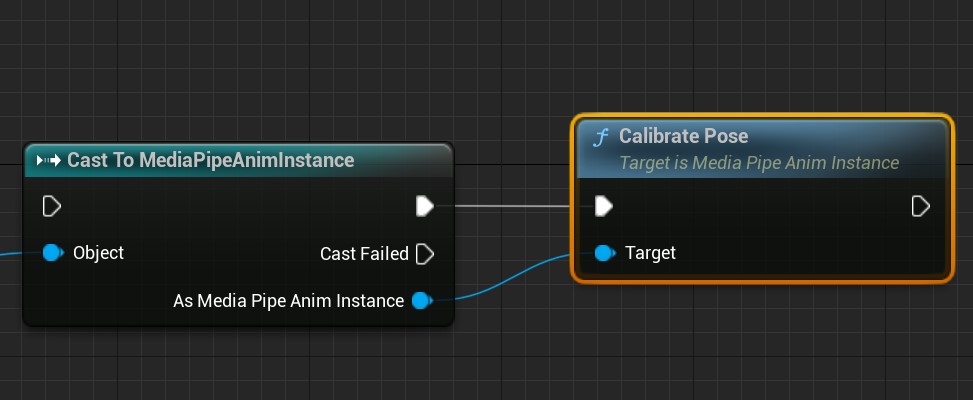
- Call
CalibratePoseon MediaPipeAnimInstance to calibrate pose. - Call
UnCalibratePoseto clear pose-calibration data.
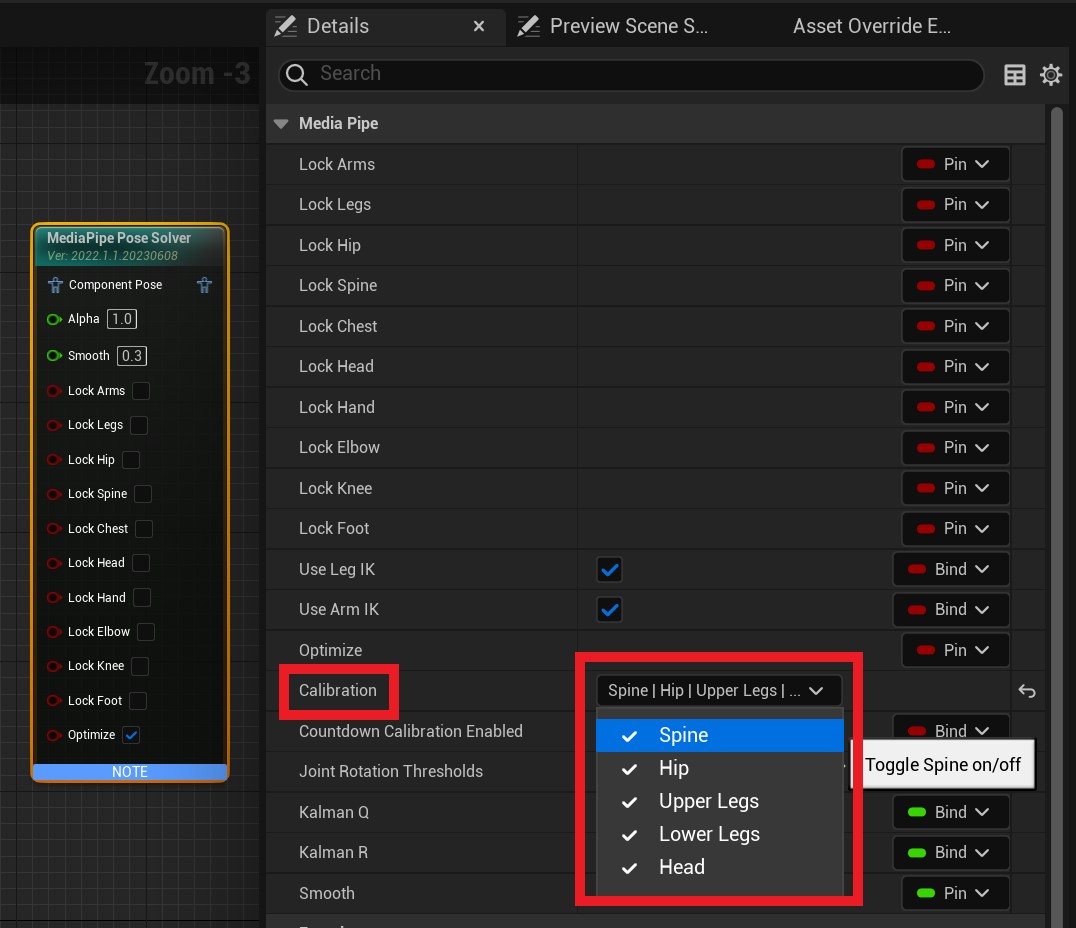
Use Calibration to control which joints are calibrated.
Use SetPoseCalibrationFlags from the Blueprint function library to change calibrated joints at runtime.
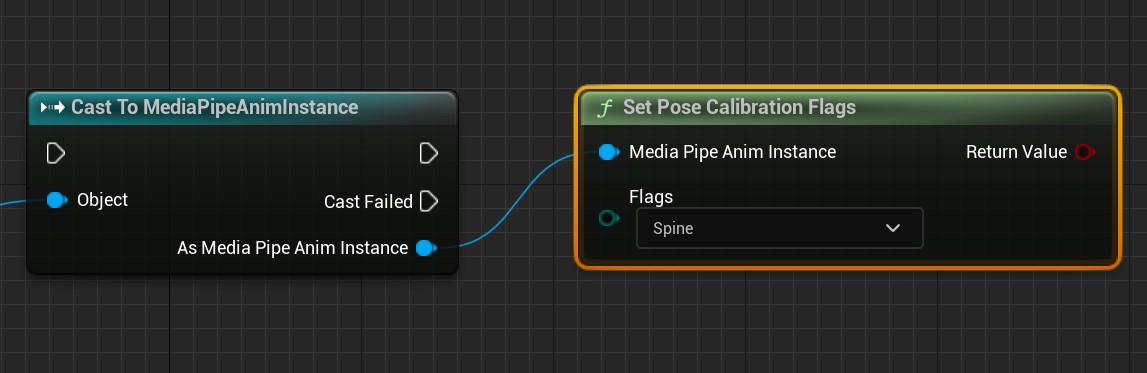
SetPoseCalibrationFlagsreturns whether the operation succeeded; normally this can be ignored.
Location Calibration
Location calibration captures an image and simulates parameters such as camera FOV to calculate the relationship between camera and 3D coordinates.
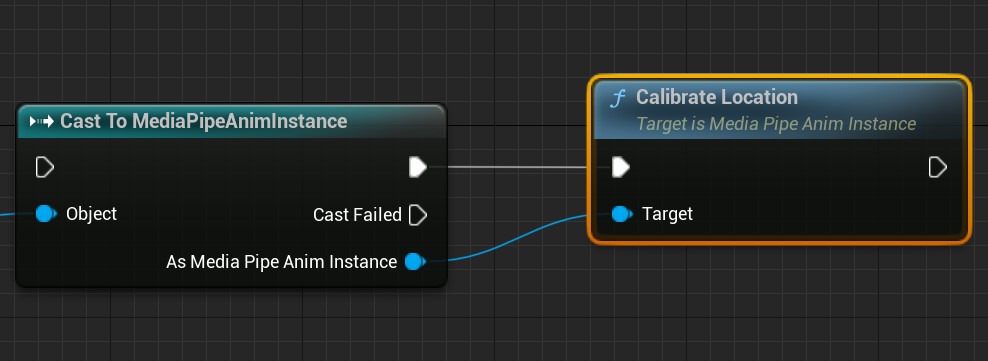
- Call
CalibrateLocationonMediaPipeAnimInstanceto calibrate location. - Call
UnCalibrateLocationto clear location-calibration data.